Project Go
Project Go is a three-in-one platform built to streamline church operations.
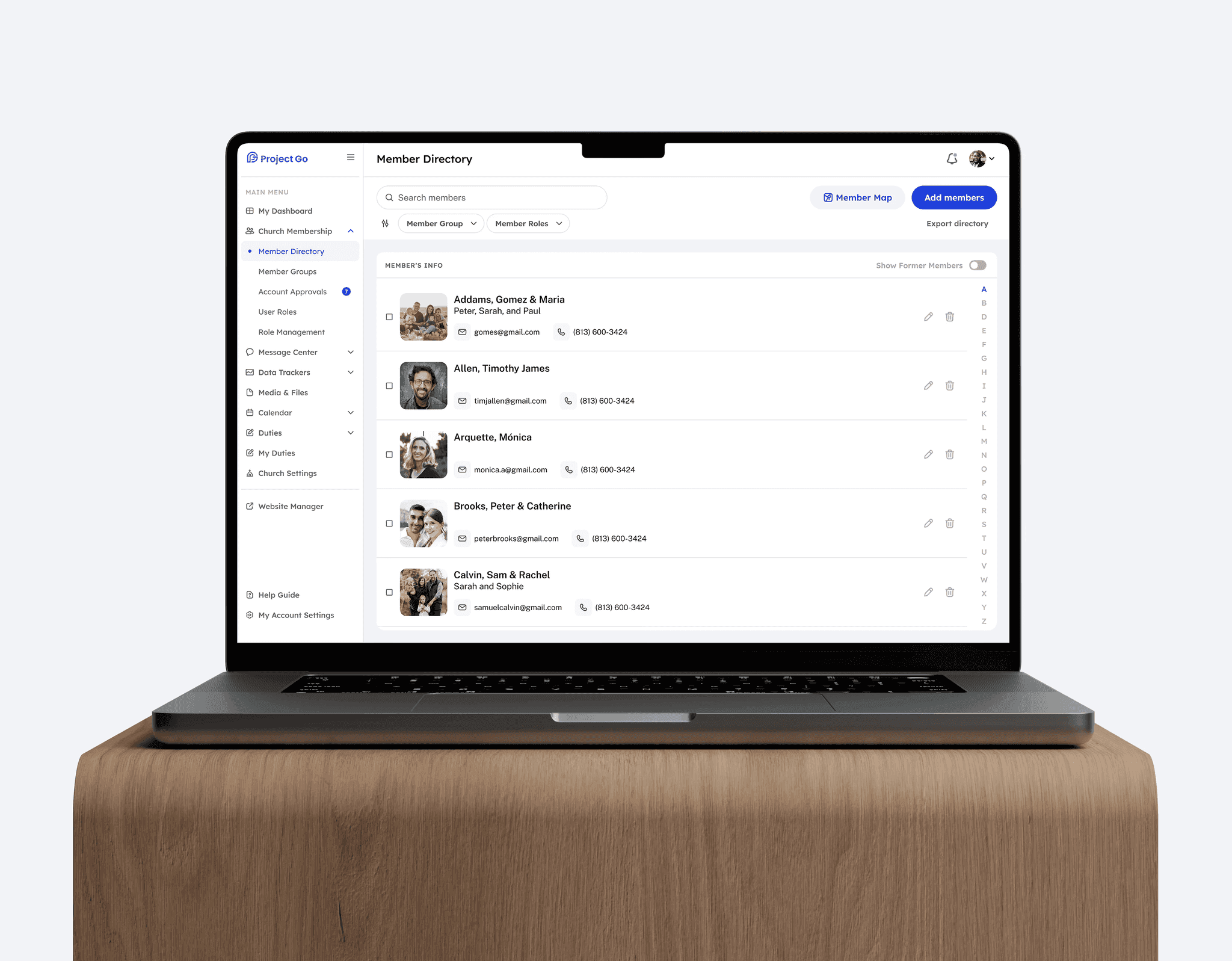
DesktopProject Go is a three-in-one platform built to streamline church operations.
Desktop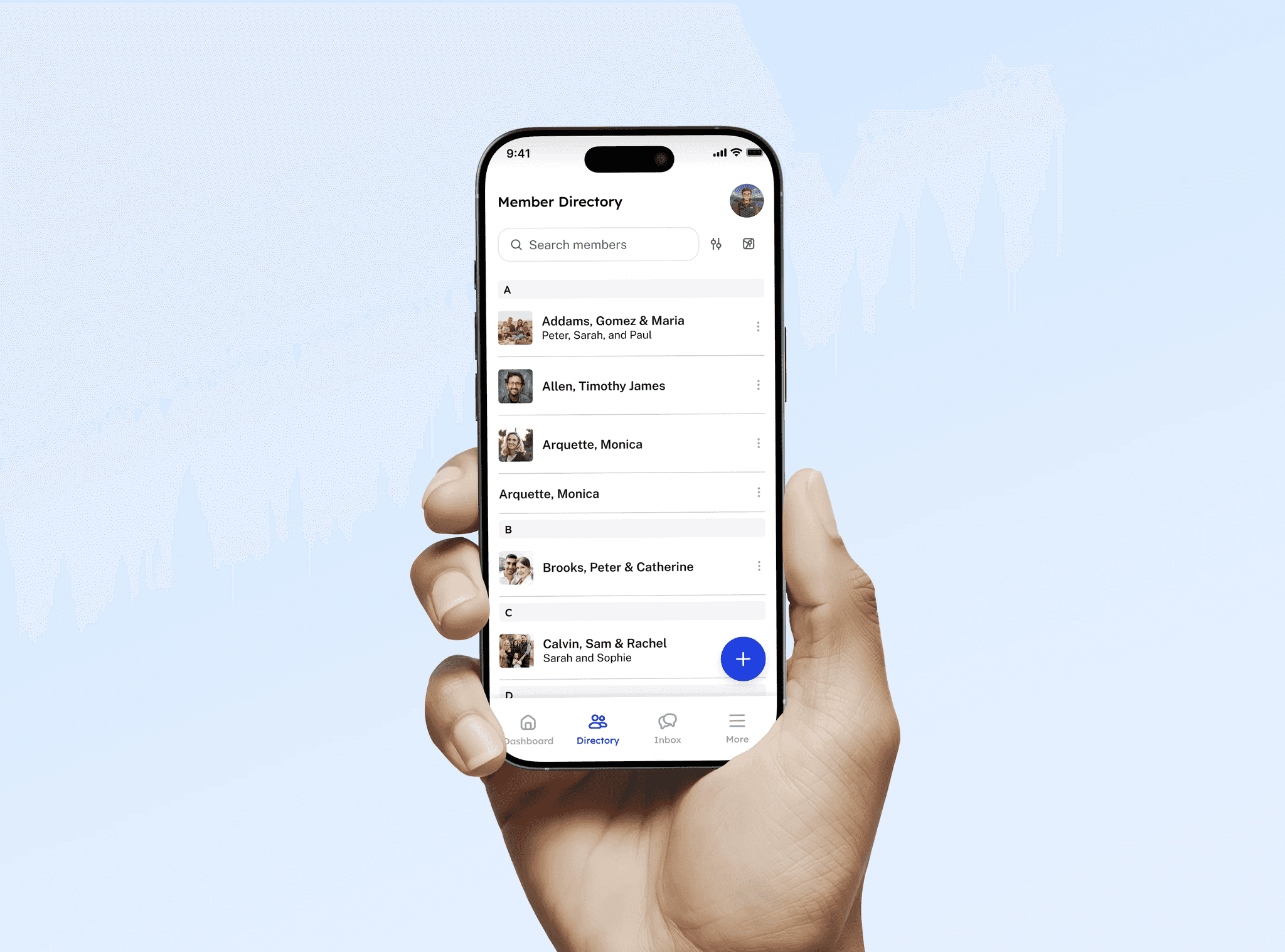
Project Go is a three-in-one platform built to streamline church operations. It combines a public-facing website, an internal management system, and a leader toolbox, all in one modern, easy-to-use solution.
What makes Project Go stand out is its sleek UI and exceptional speed, even with large data sets. It’s designed to be clear, responsive, and accessible for elder users across all devices.
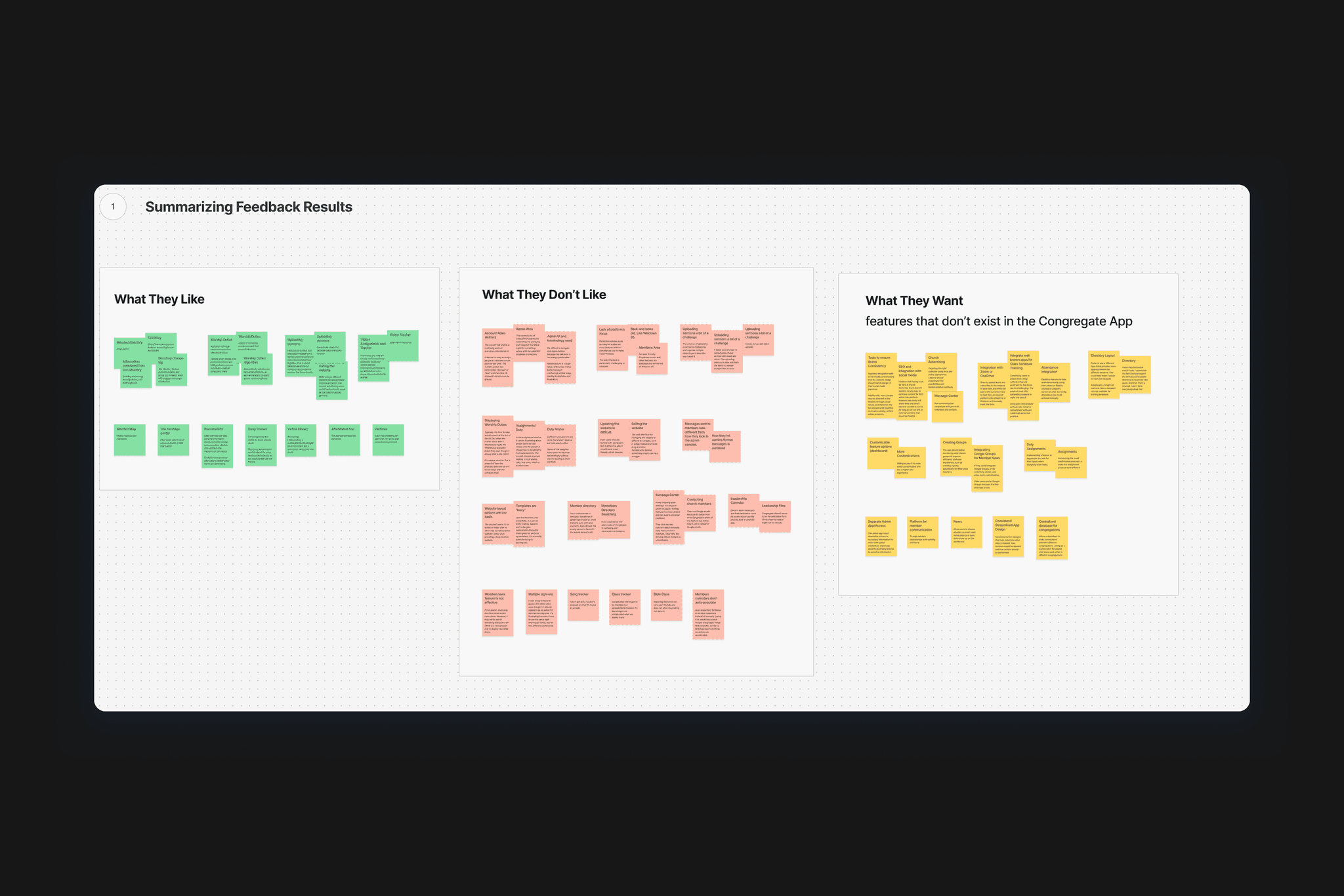
Designing ProjectGo meant building a warm, spiritually aligned experience while managing complex church data with clarity. Churches and users where facing a big problem with their current tool for church management, which had bad user-flows, complex and overIoaded screen and features, and is notably slow and takes too long to load information.
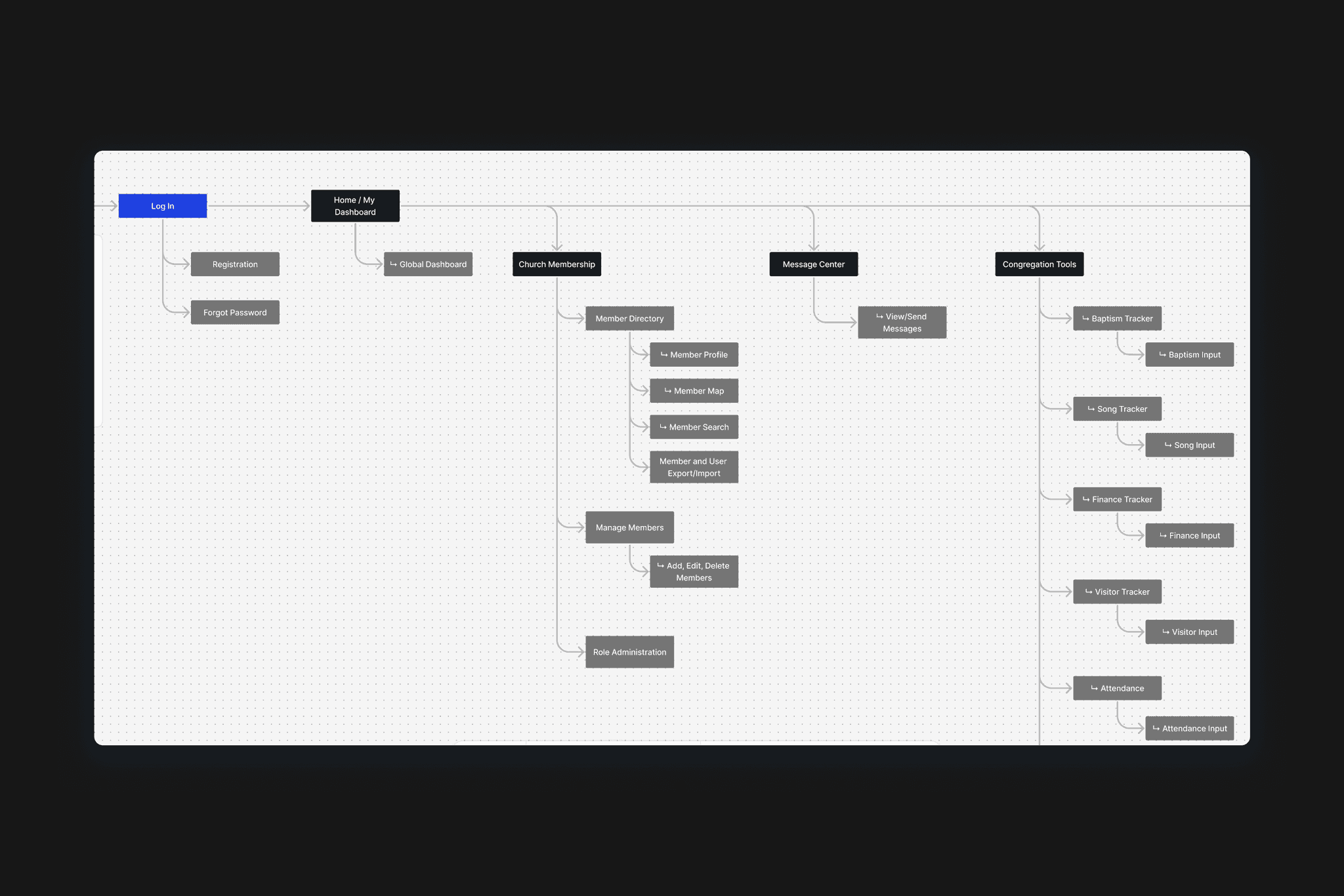
We conducted various research methods and perspectives to understand users’ needs and the challenges churches face with the tool they currently use (one of Project Go’s main competitors).
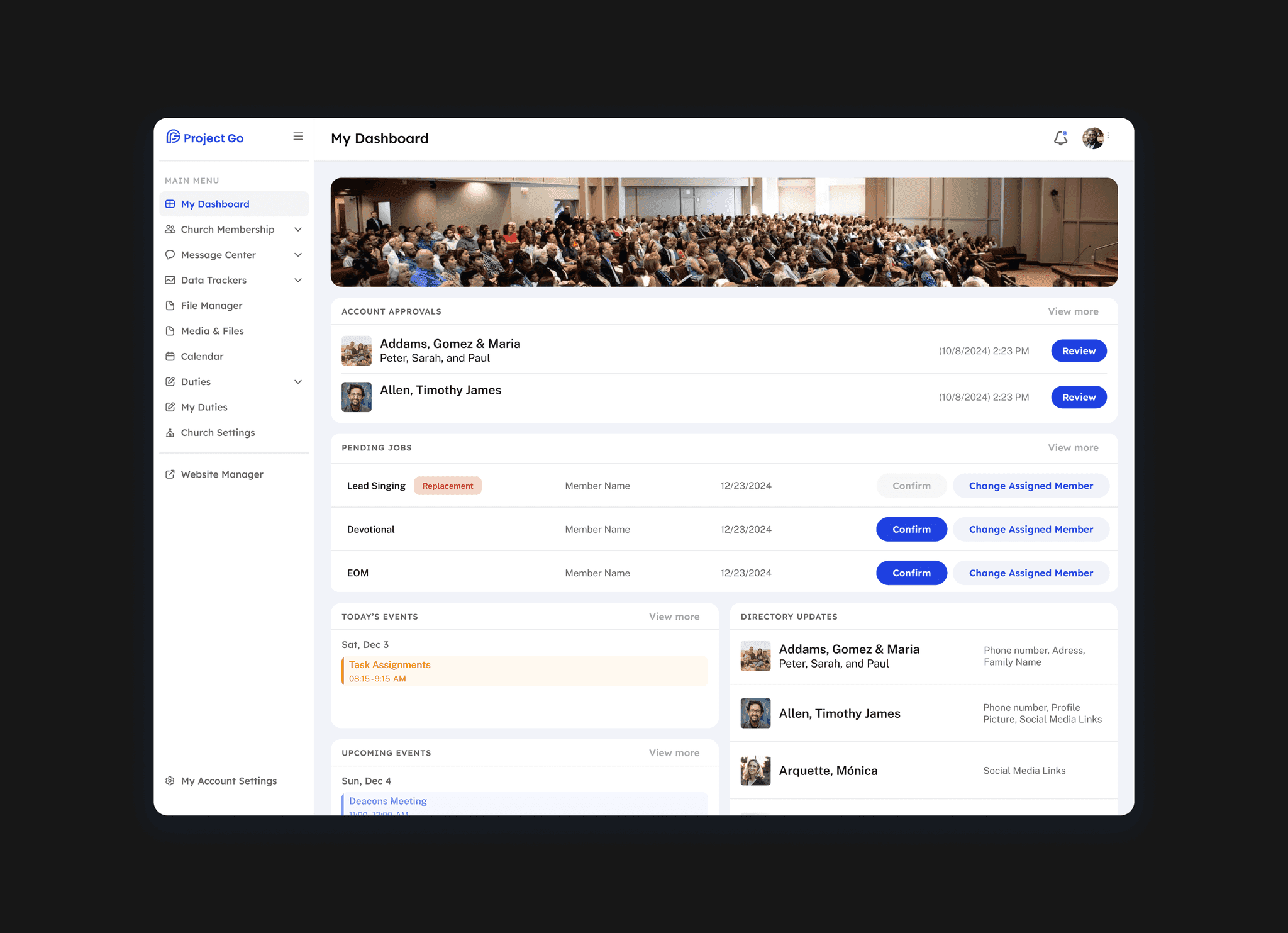
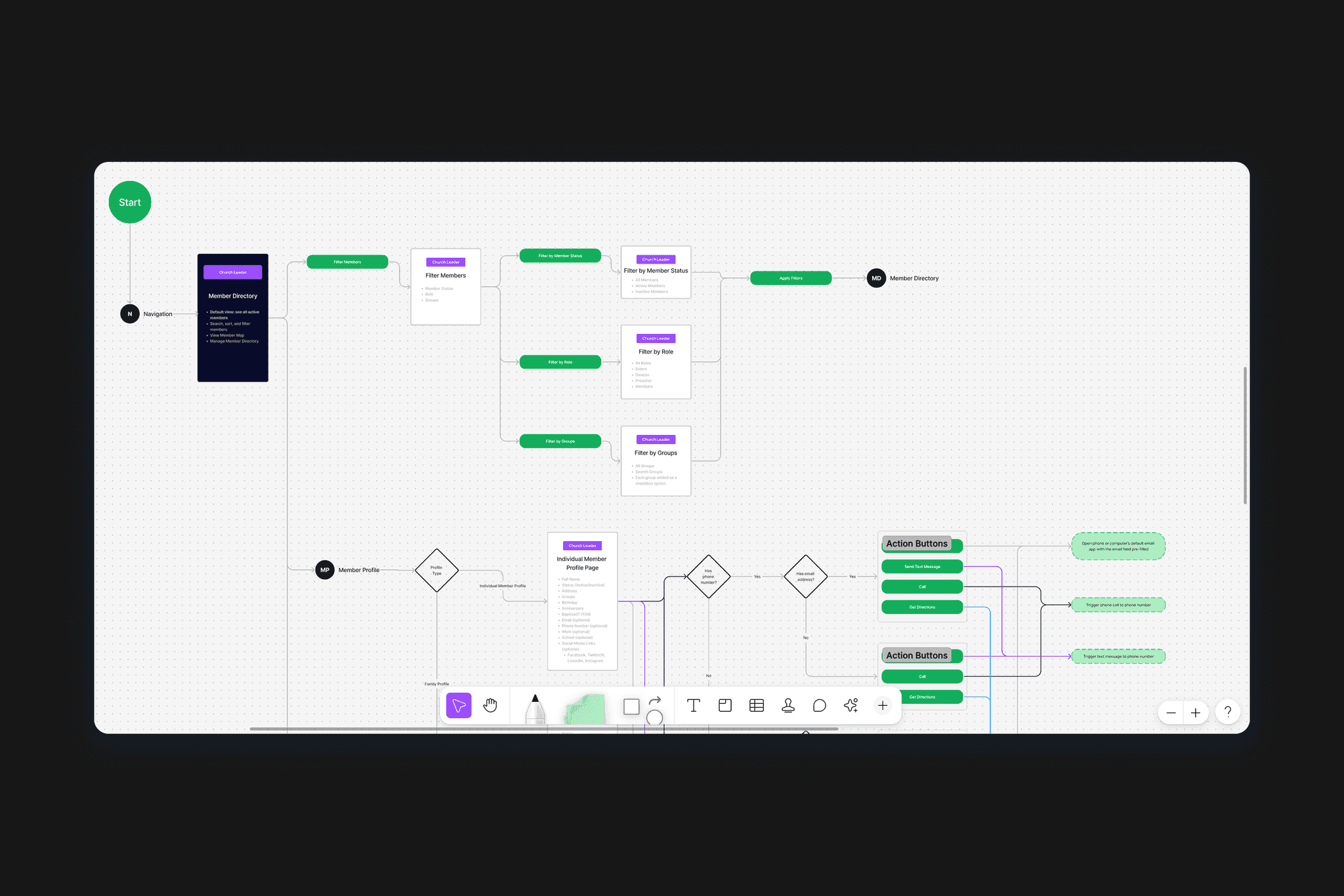
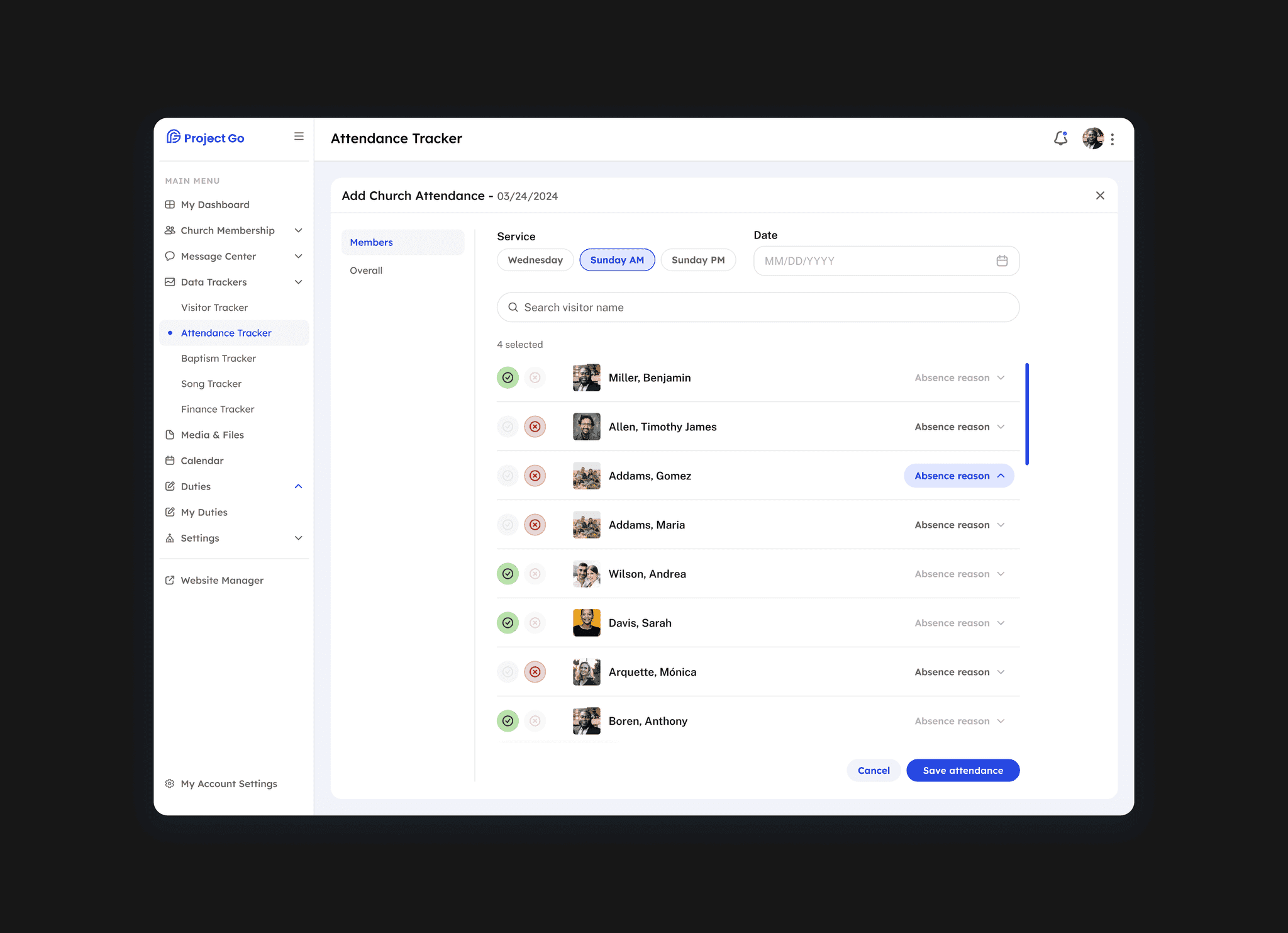
I then focused on improving system clarity and performance by creating a modular design system and structuring key features — such as the event calendar, messaging center, and attendance tracking — for quick access and easy interaction, even for less tech-savvy users.
I tested prototypes and user flows with real users to validate our solutions and identify areas for iteration and redesign from both UX and UI perspectives.
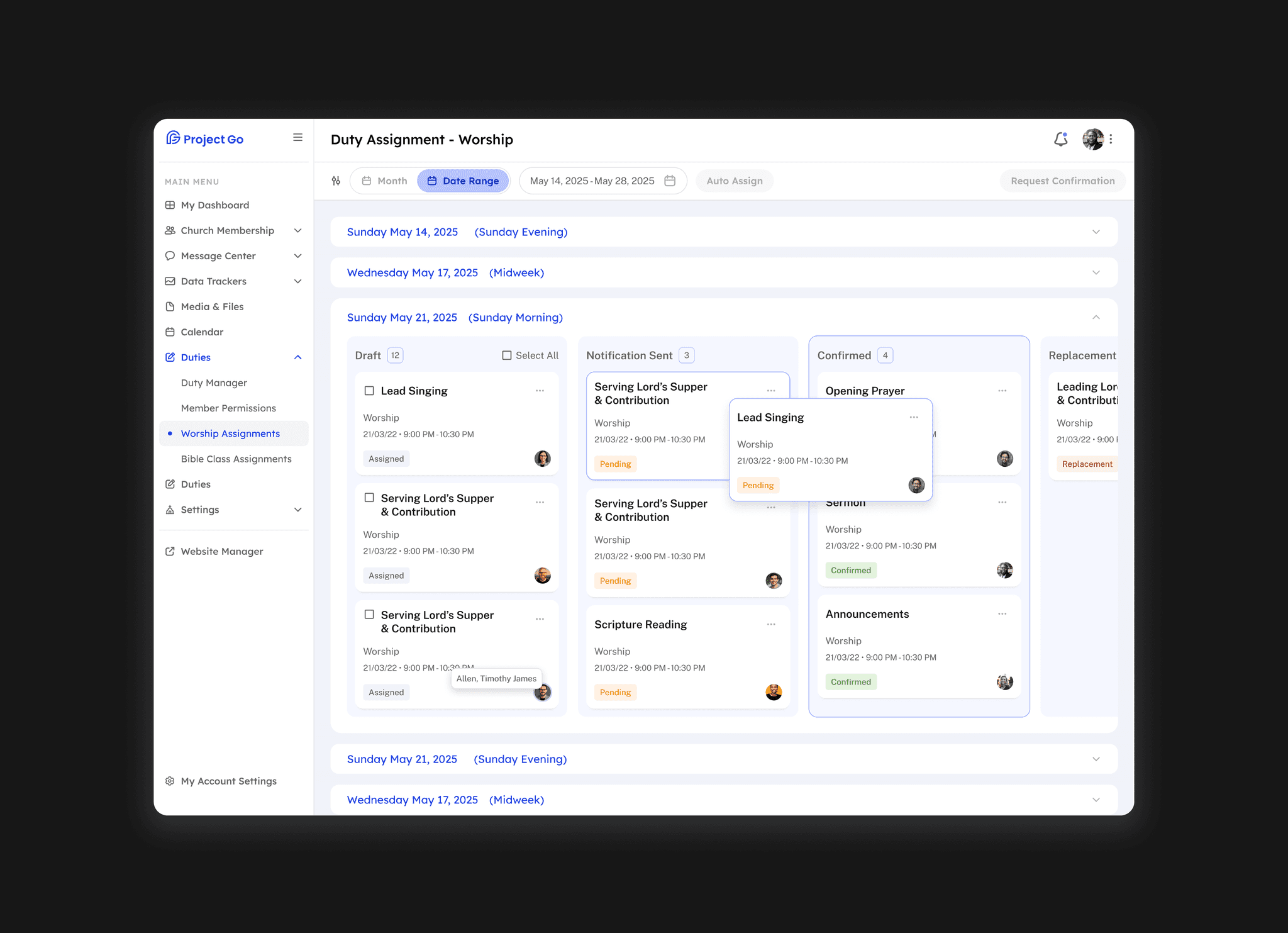
Project Go delivers a high-performance experience with a sleek UI that handles complex data without lag. Early adopters praised its clarity and speed, and internal teams reported significant time savings in communication, scheduling, and tracking tasks across devices.